Prerequisites
Before you begin, please ensure:- Dify account registered Visit Dify Official Website to register an account, choose cloud or self-hosted version
-
APIMart API Key obtained
Log in to APIMart Console to get your API key (starts with
sk-)
Tip: If you don’t have an APIMart account yet, please register at APIMart and obtain an API key first.
Step 1: Log in to Dify and Access Settings
1.1 Access Dify Platform
- Cloud Version: Visit https://cloud.dify.ai and log in
- Self-hosted Version: Visit your Dify deployment address
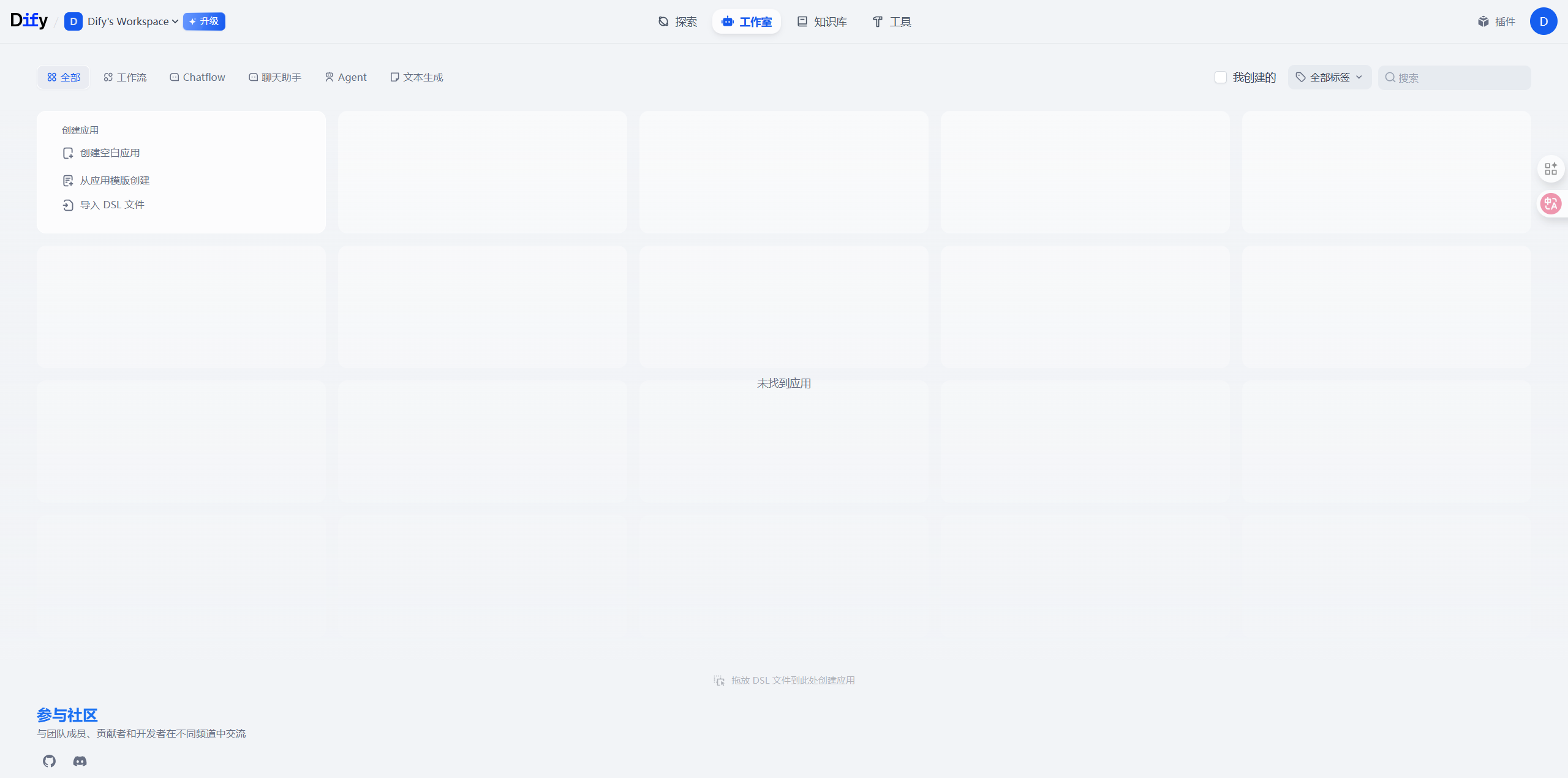
1.2 Navigate to Model Settings
- Click the avatar icon in the top right corner
- Select Settings
- Choose Model Provider in the left menu
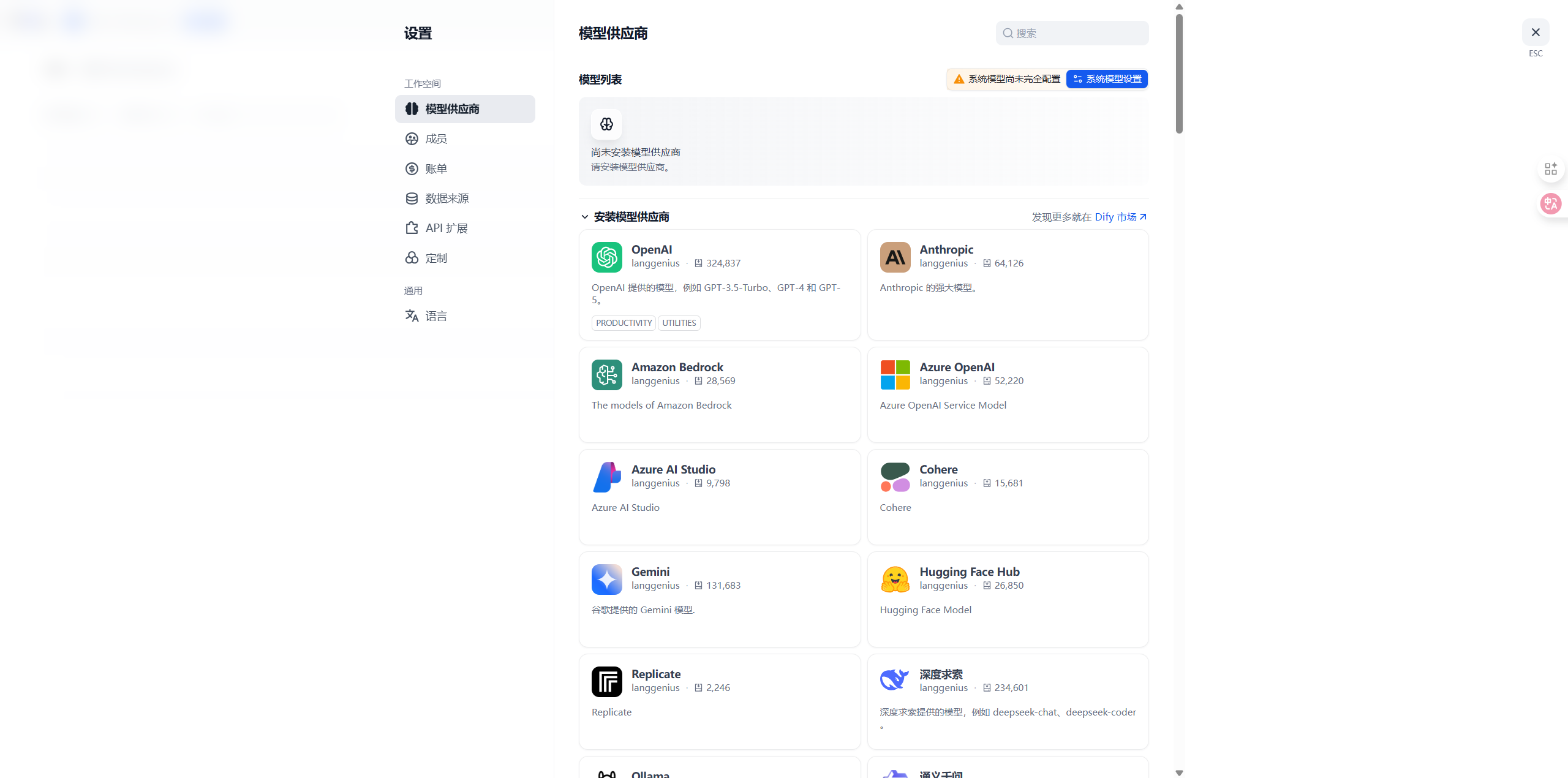
Note: Dify supports configuring multiple model providers. You can use APIMart alongside other providers.
Step 2: Add APIMart Model Provider
Configuration Methods: There are two ways to configure APIMart in Dify:Method 1 (Recommended): Use OpenAI Provider’s Custom API Feature
- In OpenAI provider settings, directly modify Base URL to
https://api.apimart.ai/v1 - Enter your APIMart API Key
- Faster and simpler configuration
- More flexible, can manage APIMart provider separately
- Convenient for using multiple API providers simultaneously
2.1 Select Configuration Method
Method 1: Use OpenAI Custom API (Recommended)
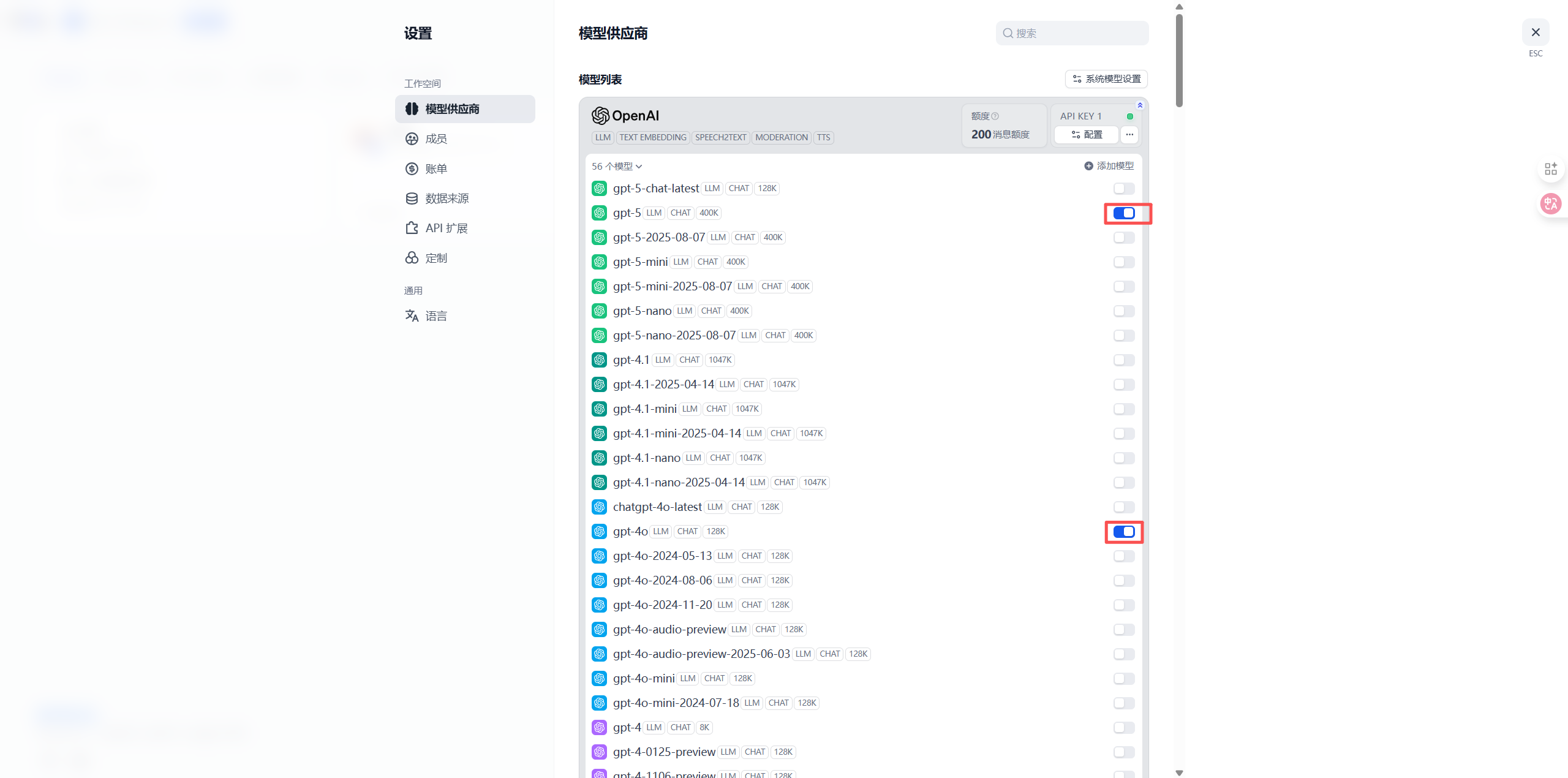
- Find the OpenAI provider on the Model Provider page
- Click the Configure or Settings button
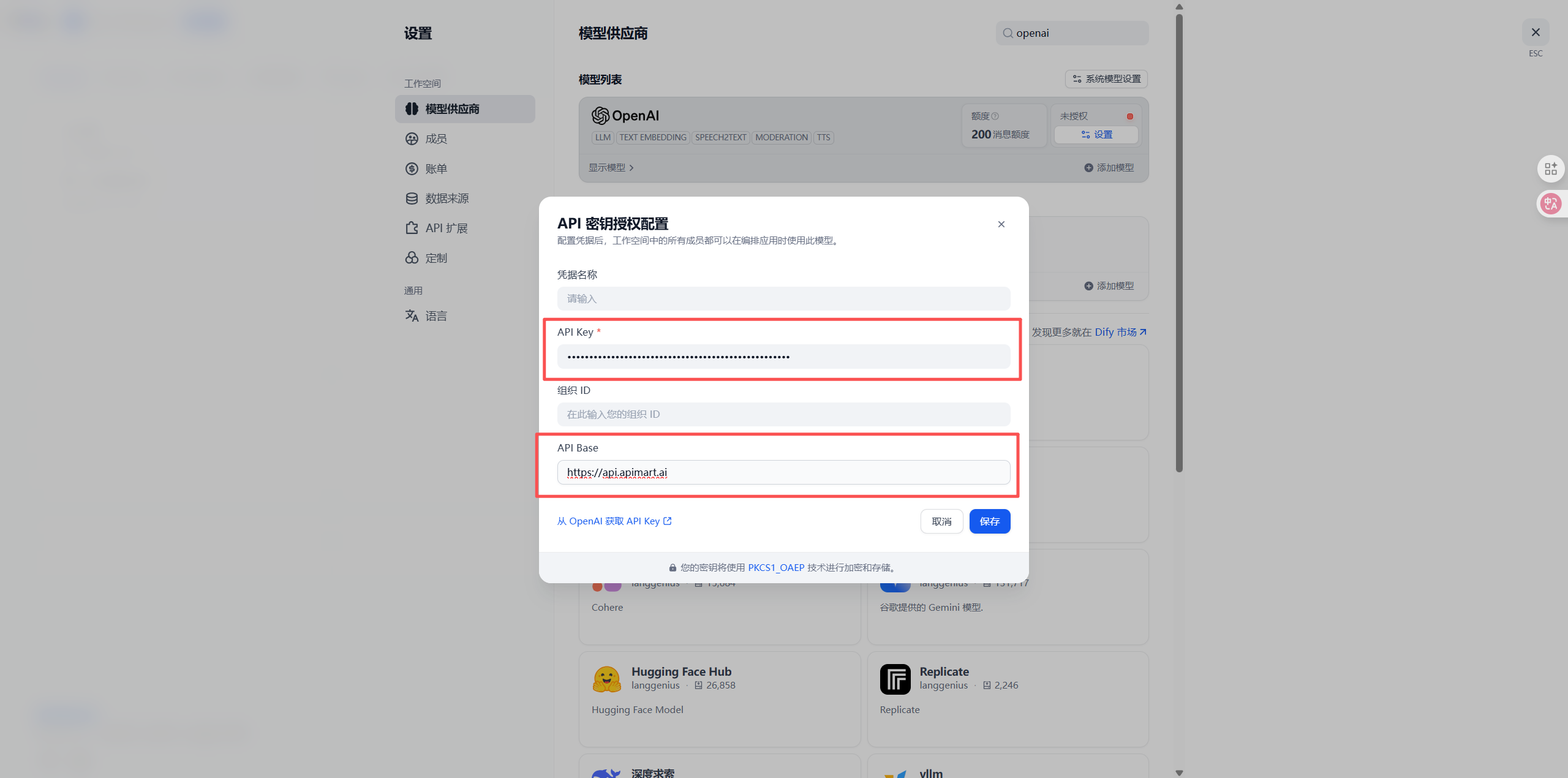
- On the configuration page:
- API Key: Enter your APIMart API key (
sk-xxxxxxxxxxxx) - API Base URL or Base URL: Enter
https://api.apimart.ai/v1
- API Key: Enter your APIMart API key (
- Click Save
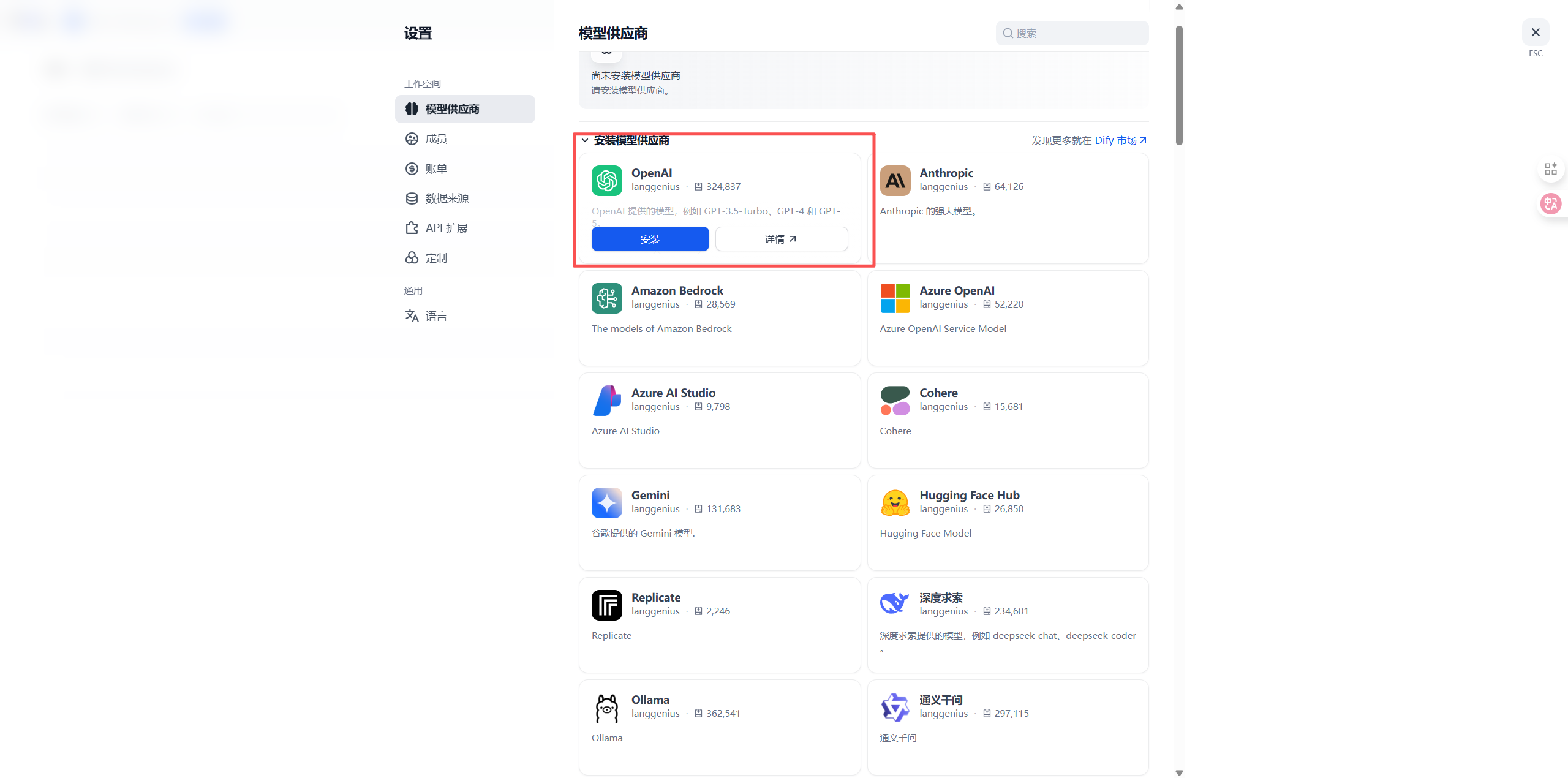
- After configuration, return to the OpenAI provider page and view the Model List
- In the model list, find the models you need (e.g.,
gpt-4o,gpt-4o-mini,chatgpt-4o-latest, etc.) - Click the switch on the right side of the model to enable it (blue indicates enabled)
Method 2: Add Custom Model Provider
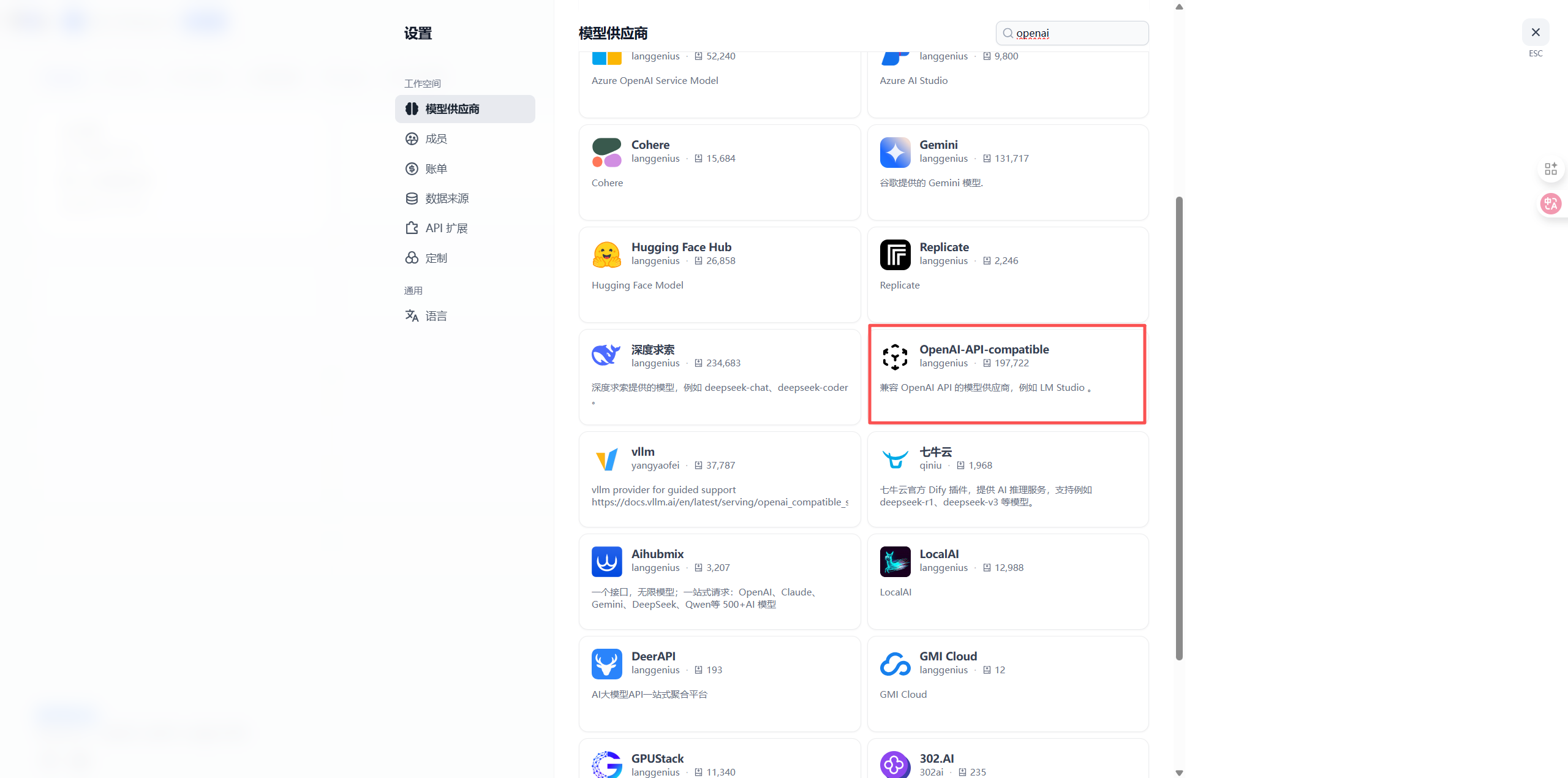
On the Model Provider page:- Scroll down to the Custom Model section
- Click the + Add Model button
2.2 Configure APIMart Provider
In the configuration dialog, fill in the following information: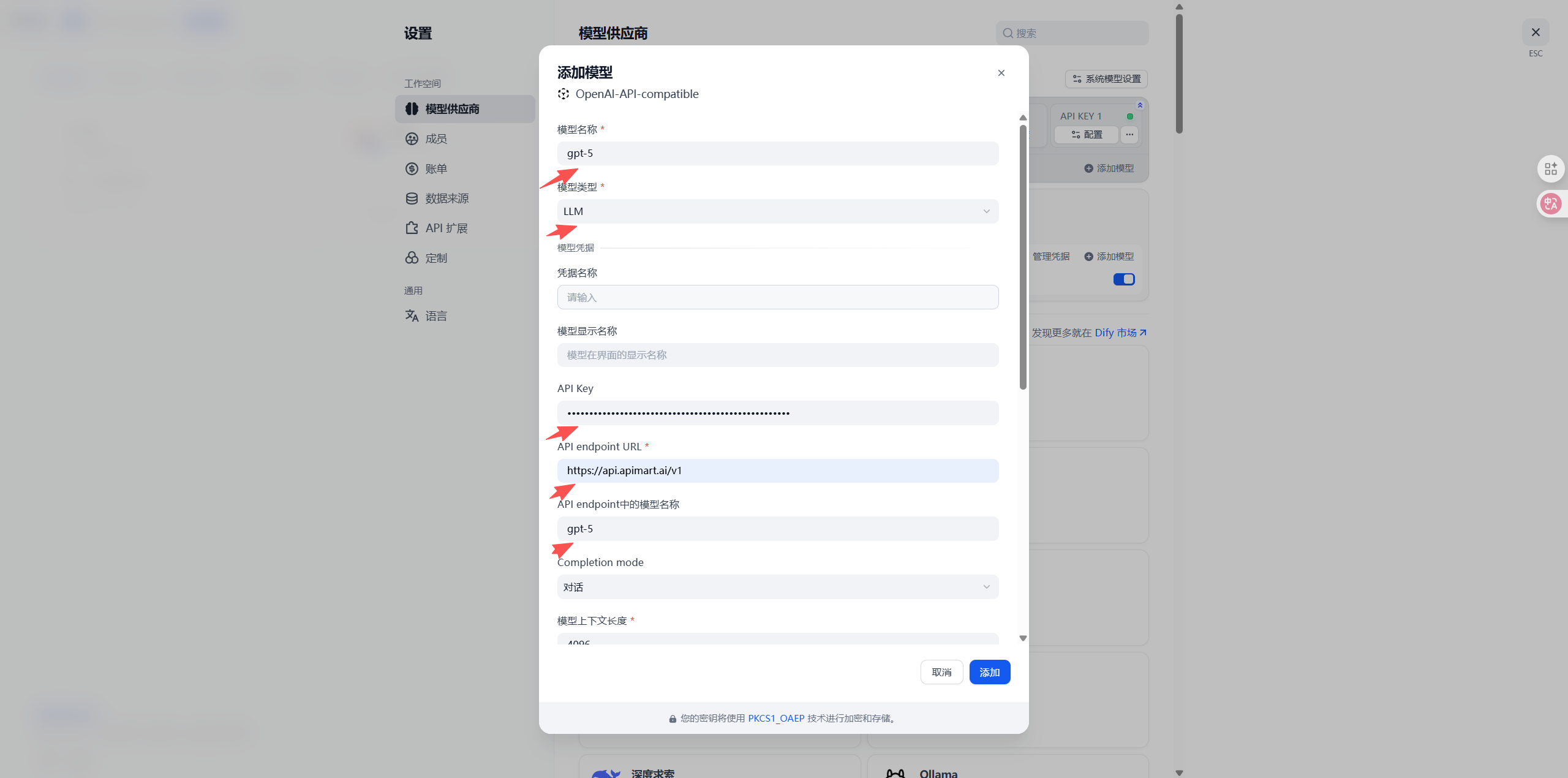
2.3 Add More Models (Optional)
To add more models, repeat the above steps:- In the custom model section, click the + Add Model button again
- Fill in the configuration information for another model
- Click Save
GPT-4/5 Series
Claude Series
Gemini Series
Step 3: Use APIMart Models in Applications
3.1 Create New Application
- Return to Dify homepage
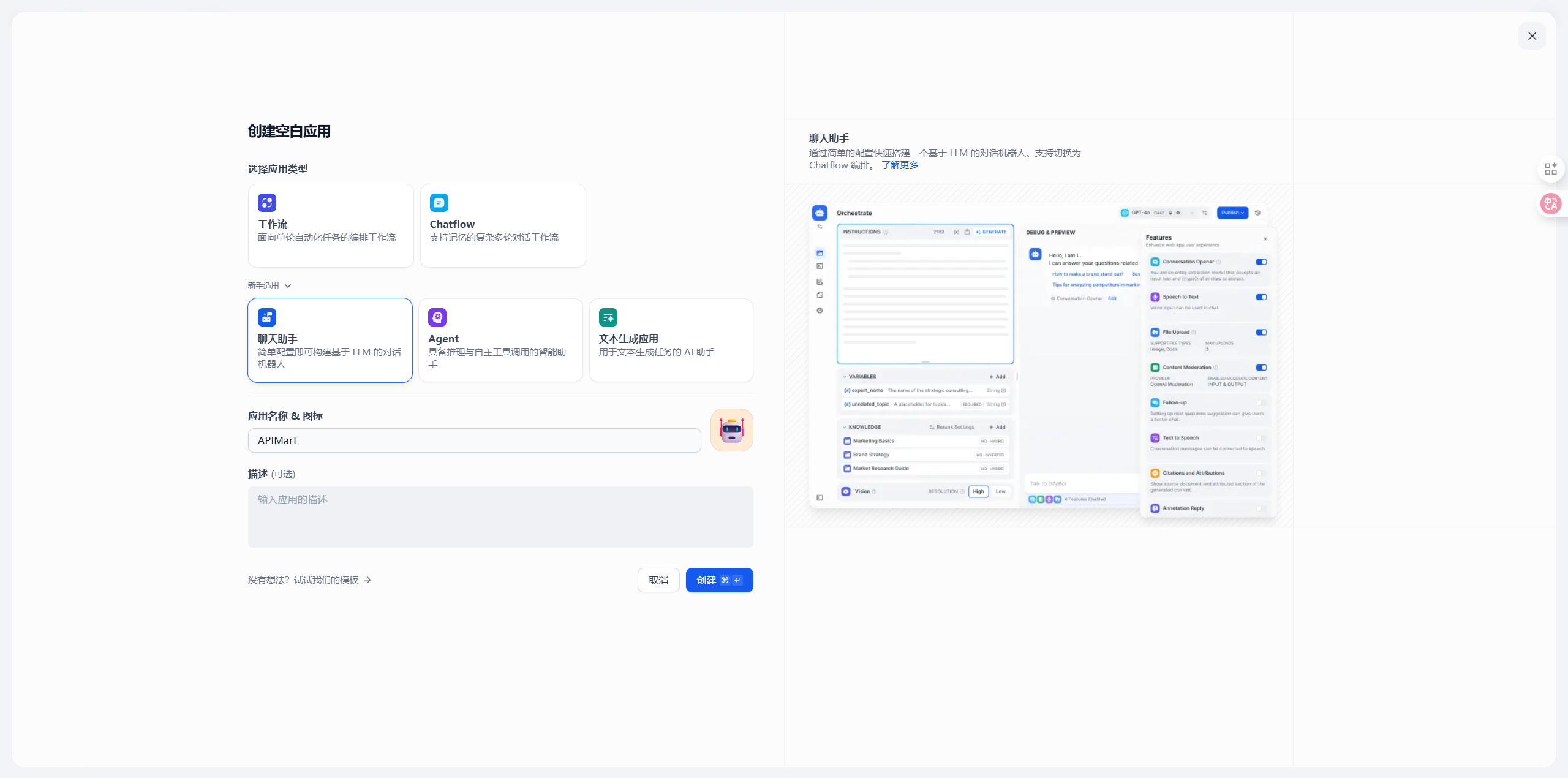
- Click Create App button
- Select application type:
- Chatbot - Conversational application
- Text Generator - Text generation application
- Agent - Intelligent agent
- Workflow - Complex workflow application
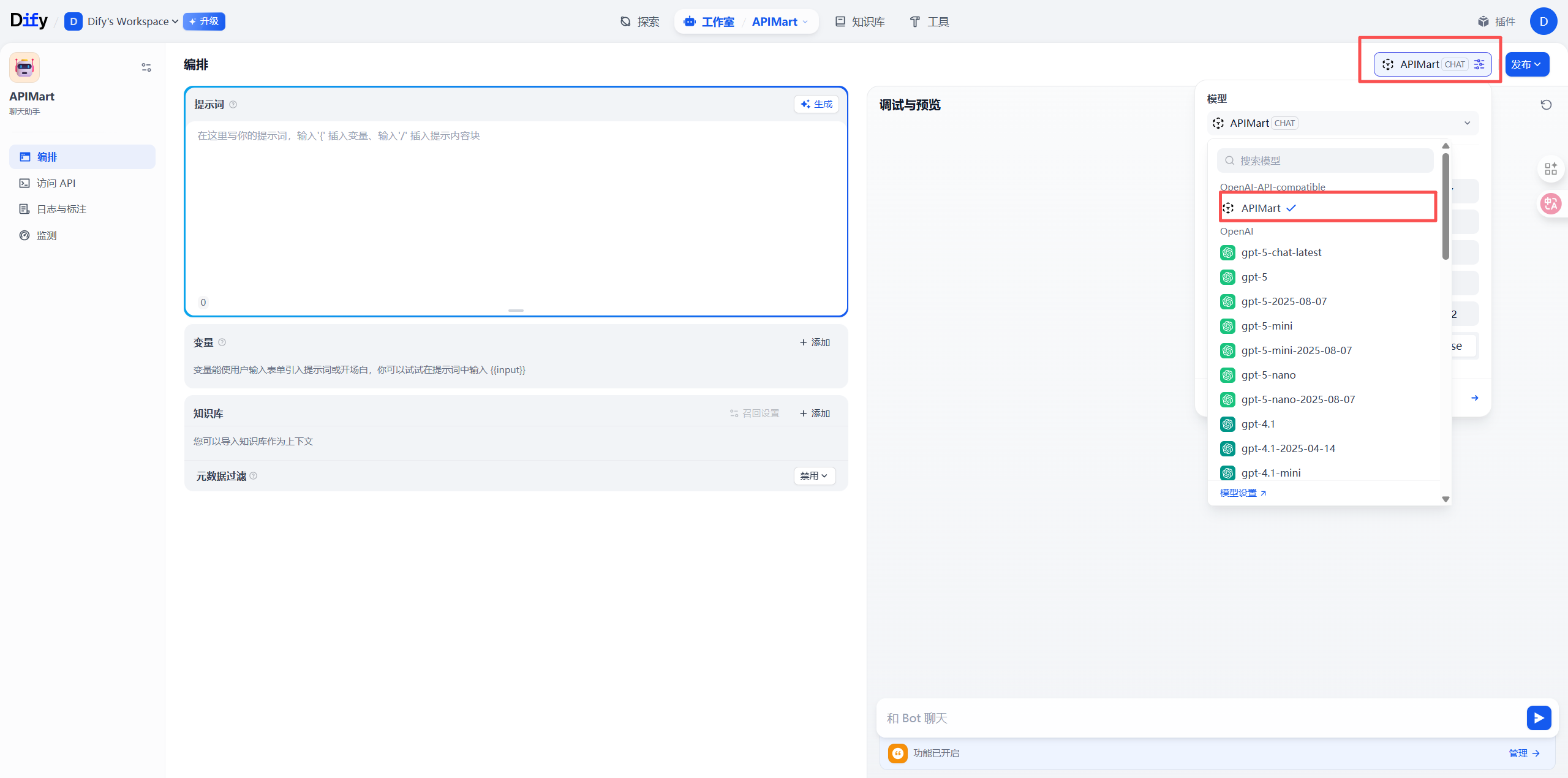
3.2 Select APIMart Model
On the application orchestration page:- Find the Model Settings area
- Click the Select Model dropdown
- Select APIMart provider
- Choose your configured model (e.g.,
gpt-4o)
3.3 Configure Model Parameters
Adjust model parameters as needed: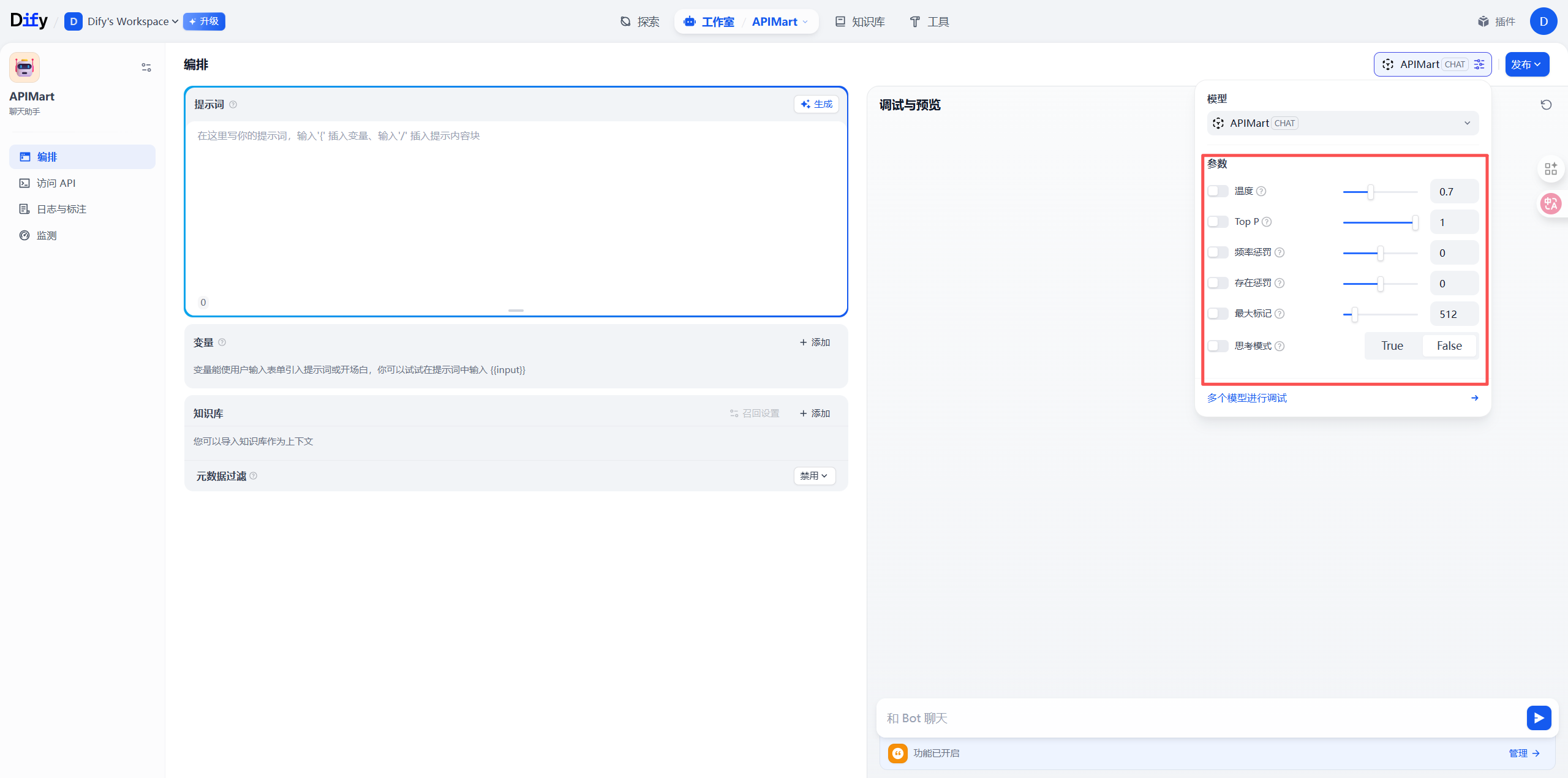
Step 4: Build and Test Application
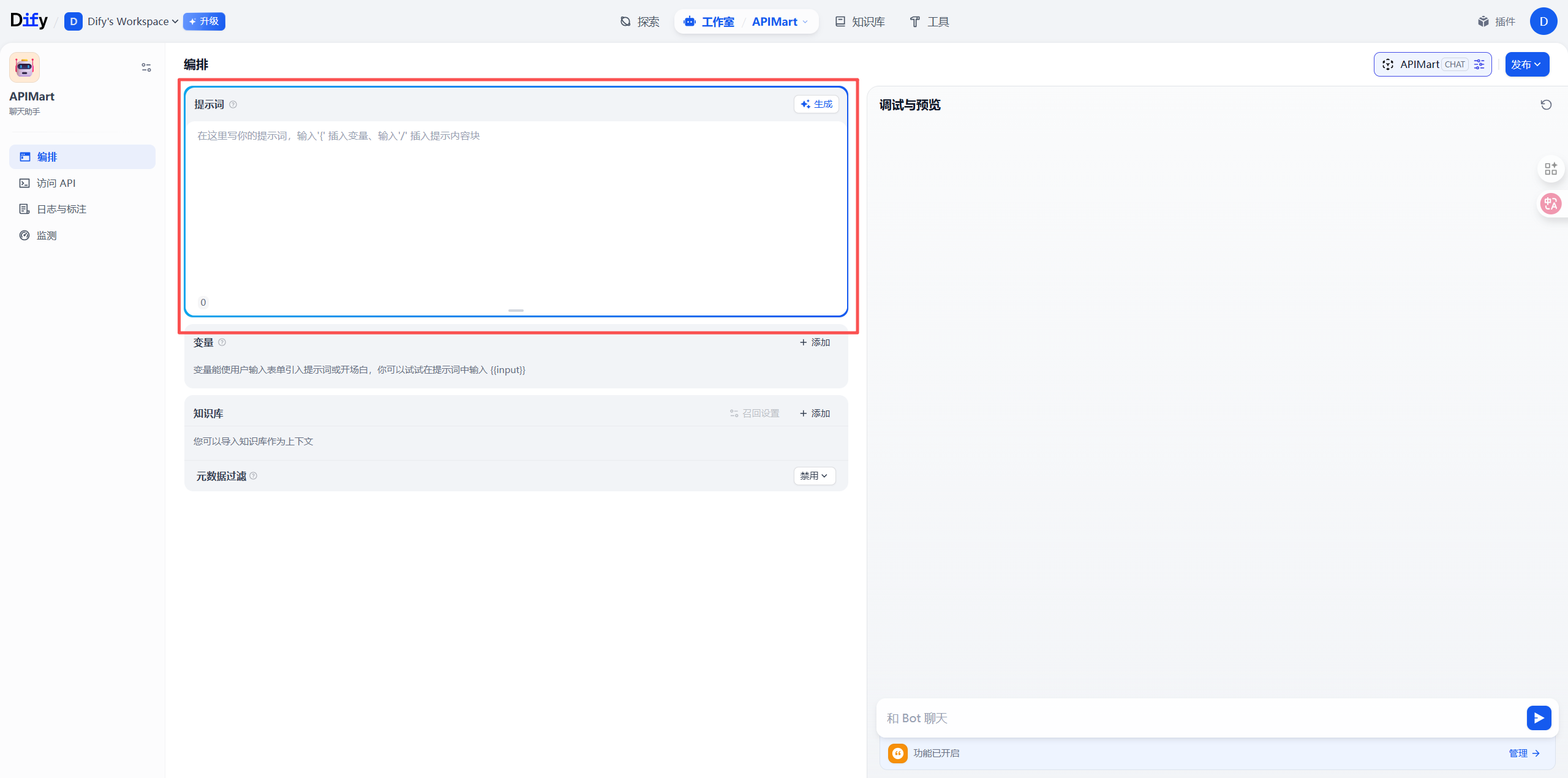
4.1 Add Prompts
On the application orchestration page:- Write prompts in the System Prompt area
- Use variables to make your app dynamic:
{{variable_name}}- User input variable{{context}}- Knowledge base context
4.2 Add Knowledge Base (Optional)
If you need RAG (Retrieval Augmented Generation) capability:- Click Knowledge Base in the left menu
- Create new knowledge base and upload documents
- Link knowledge base on application orchestration page
- Configure retrieval parameters
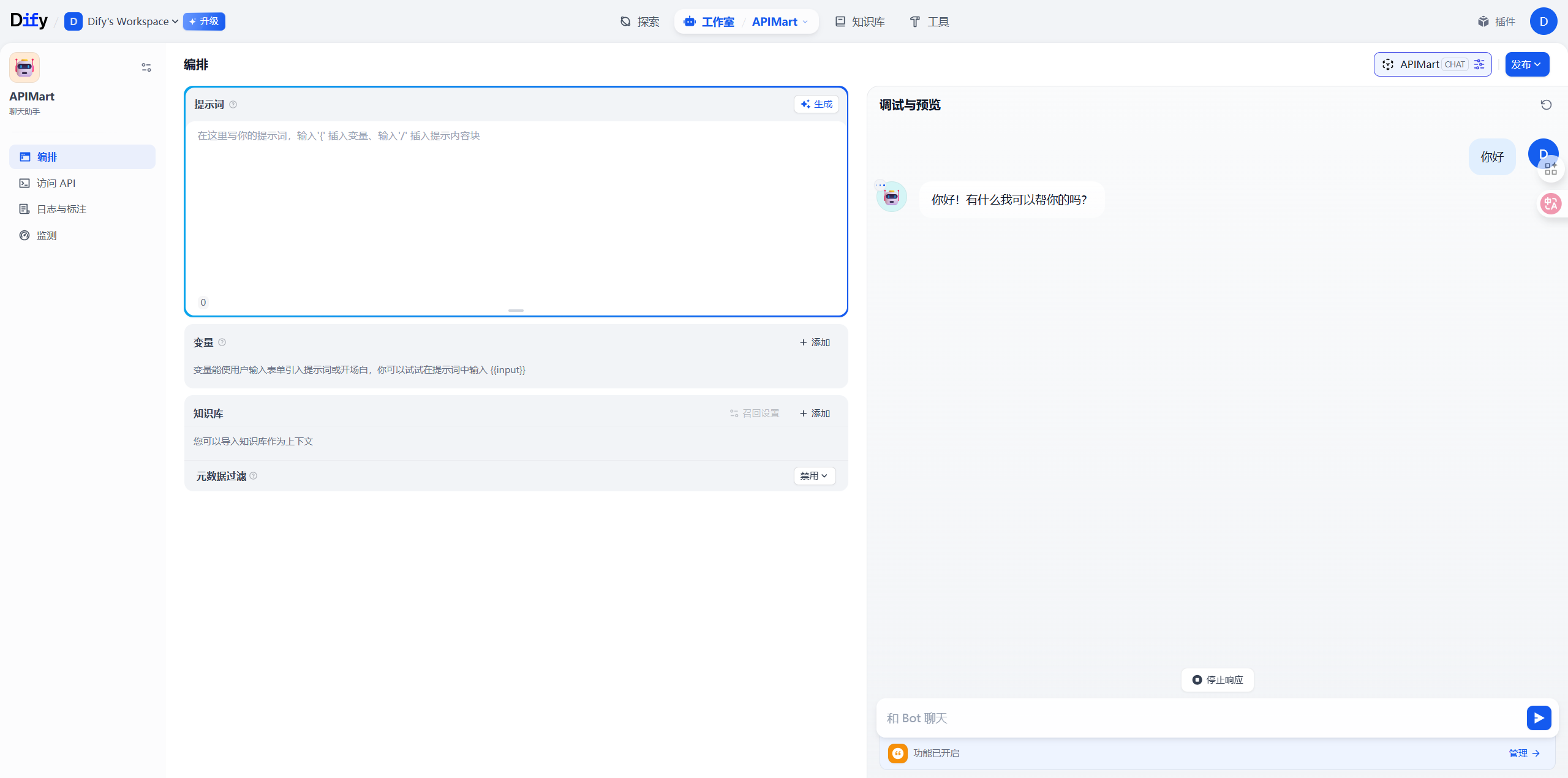
4.3 Test Application
- Input test questions in the Preview panel on the right
- Review AI response effectiveness
- Adjust prompts and parameters as needed
- Repeat testing until satisfied
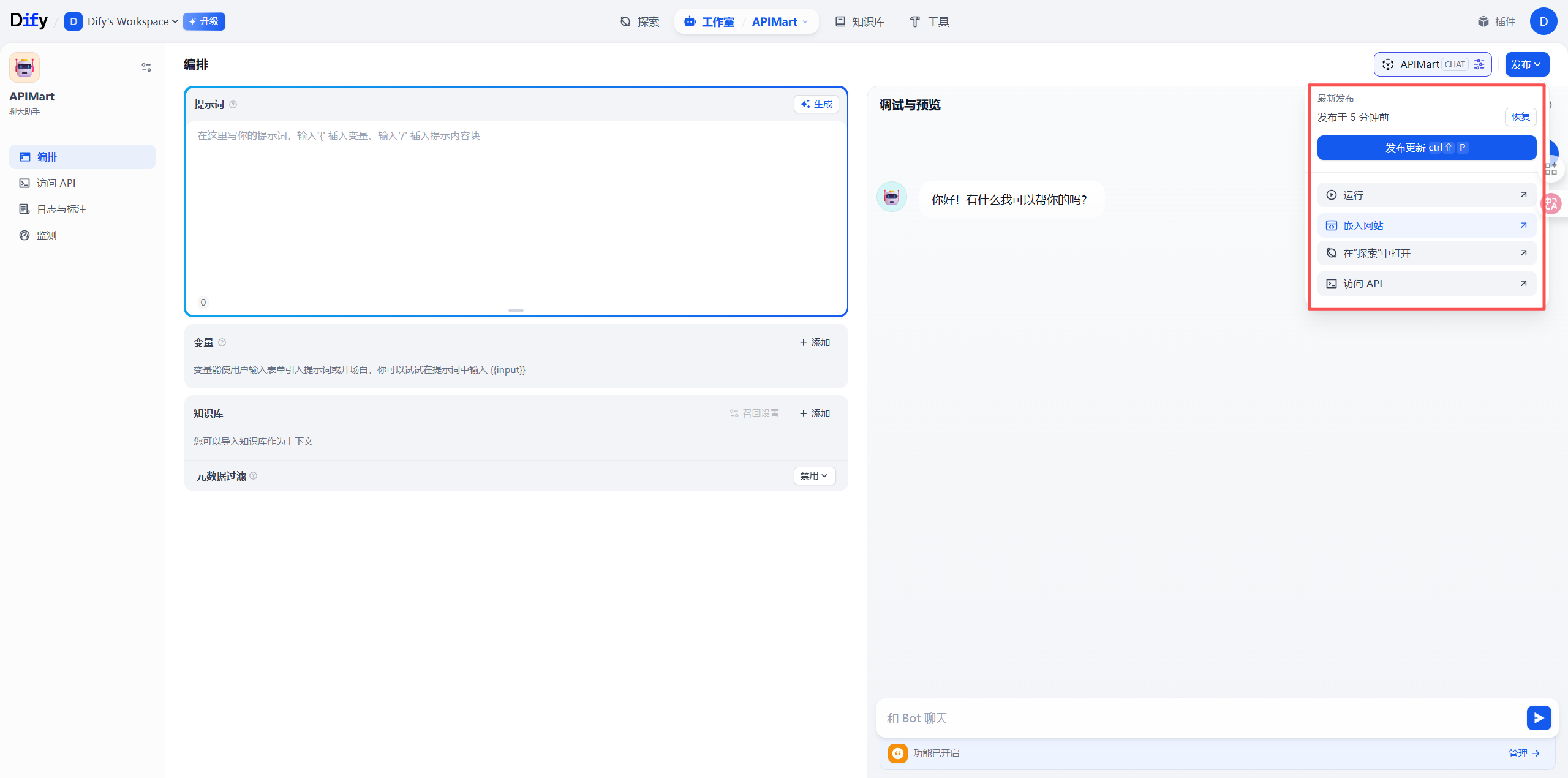
4.4 Publish Application
After testing:- Click Publish button in top right
- Select publishing method:
- API Call - Integration via API
- Embed in Website - Generate embed code
- Public Link - Generate share link
Step 5: Monitor and Optimize
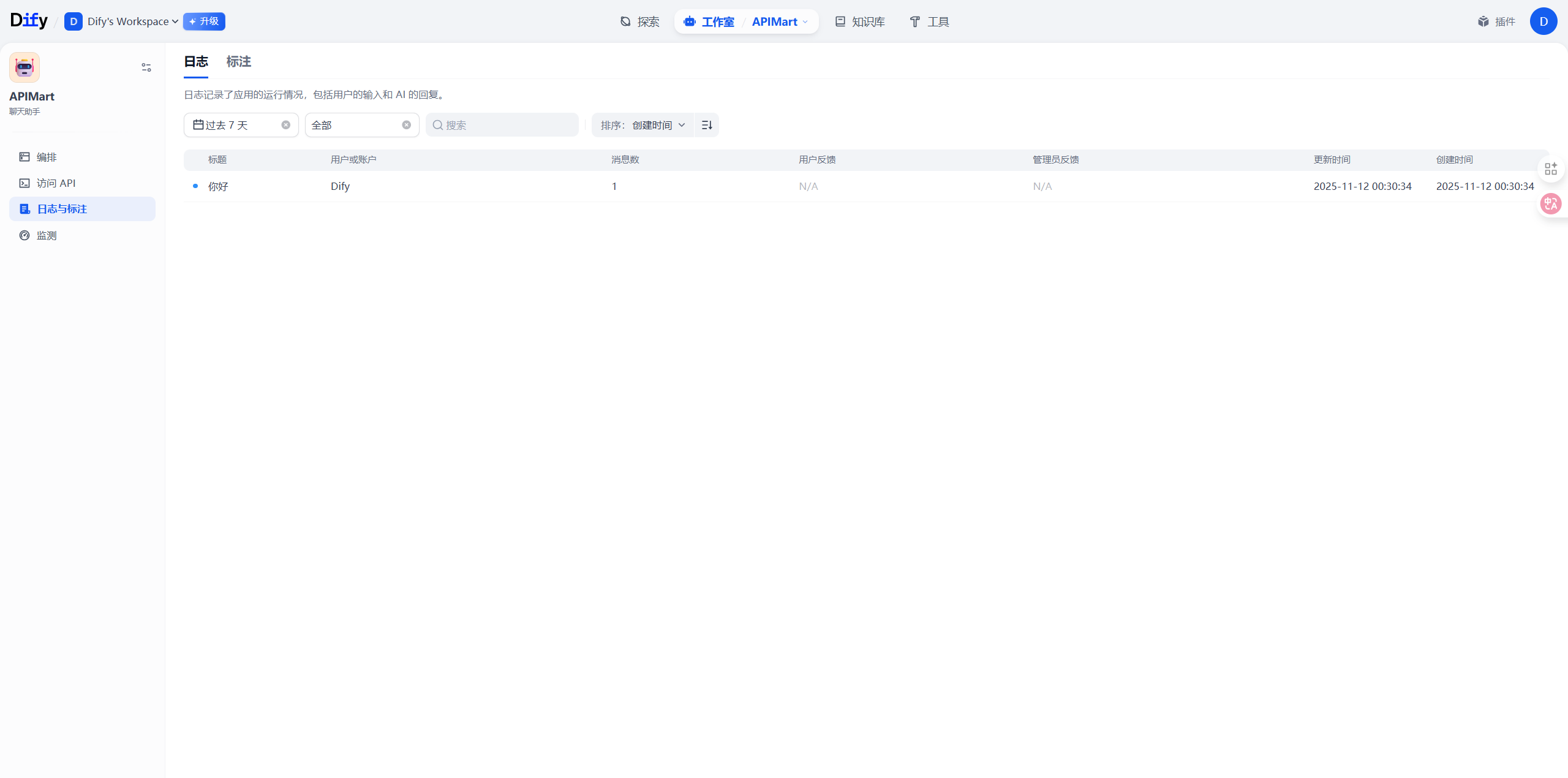
5.1 View Application Logs
On the application details page:- Click the Logs tab
- View all conversation records
- Analyze user questions and AI responses
- Discover improvement opportunities
5.2 Monitor API Usage
Log in to APIMart Console to view:- 📊 API Call Statistics - Total calls, success rate
- 💰 Cost Details - Daily/monthly costs
- 📈 Usage Trends - Usage change trends
- 🔍 Request Logs - Detailed request records
5.3 Optimize Application Performance
Optimize based on monitoring data:-
Adjust Model Selection
- Use
gpt-4o-minifor simple tasks to reduce costs - Use
gpt-4oorclaude-sonnet-4-5for complex tasks to improve quality
- Use
-
Optimize Prompts
- Make prompts clearer and more specific
- Add examples to improve effectiveness
- Use chain-of-thought for better reasoning
-
Configure Caching
- Enable caching for similar questions
- Reduce API call costs
Advanced Features
Using Workflow Orchestration
Dify’s workflow feature allows you to:- Conditional Branches - Execute different logic based on conditions
- Multi-model Collaboration - Combine advantages of multiple models
- External Tool Calls - Call APIs, databases, and other external resources
- Variable Passing - Pass data between different nodes
Configuring Agent Capabilities
Build intelligent agents with APIMart models:- Tool Calling - Let AI call external tools
- Memory Management - Maintain long-term conversation memory
- Autonomous Decision-making - AI autonomously plans execution steps
Multimodal Applications
Leverage APIMart’s multimodal capabilities:- Image Understanding - Use
gpt-4oorclaude-3to process images - Image Generation - Integrate APIMart’s image generation API
- Voice Processing - Integrate TTS and STT services
FAQ
Q1: Cannot connect to APIMart service?
Solution:-
Check Base URL:
- Ensure it’s
https://api.apimart.ai/v1(includes/v1) - Don’t add extra paths or omit
/v1
- Ensure it’s
-
Verify API Key:
- Confirm API Key starts with
sk- - Check if key is valid in APIMart Console
- Confirm API Key starts with
-
Check Network Connection:
- Ensure server can access
https://api.apimart.ai - Self-hosted versions need to ensure server network connectivity
- Ensure server can access
Q2: Model response is slow?
Solution:-
Switch to Faster Models:
- Use
gpt-4o-miniinstead ofgpt-4o - Use
gemini-2.0-flash-expfor faster response
- Use
-
Optimize Prompt Length:
- Reduce unnecessary context
- Simplify prompt descriptions
-
Adjust Knowledge Base Retrieval:
- Reduce number of retrieved documents
- Increase similarity threshold
Q3: API calls fail or return errors?
Common errors and solutions:Q4: How to reduce API usage costs?
Cost optimization suggestions:-
Model Selection:
- Use
gpt-4o-minifor simple tasks (cost is only 1/10 ofgpt-4o) - Consider more economical models for batch tasks
- Use
-
Enable Caching:
- Return cached results for same questions
- Configure similarity matching in Dify
-
Optimize Output Length:
- Set reasonable Max Tokens
- Avoid generating overly long responses
-
Use Streaming Output:
- Improve user experience without increasing costs
Q5: How to handle sensitive data?
Data security recommendations:-
Use Environment Variables:
- Don’t hardcode API Keys in code
- Use Dify’s environment variable feature
-
Configure Access Control:
- Set application access permissions
- Enable authentication for API calls
-
Audit Logs:
- Regularly check application logs
- Monitor abnormal access patterns
Best Practices
1. Prompt Engineering
Structured Prompts:2. Knowledge Base Management
- Chunking Strategy: Set reasonable document chunk size (recommended 500-1000 characters)
- Metadata Tagging: Add metadata to documents for easier retrieval
- Regular Updates: Keep knowledge base content up-to-date
3. Error Handling
- Friendly Messages: Provide clear error messages to users
- Fallback Strategy: Switch to backup model when primary fails
- Retry Mechanism: Auto-retry for temporary errors
4. Performance Monitoring
- Set Alerts: Alert for low balance, high error rates
- Regular Analysis: Analyze usage data weekly/monthly
- Continuous Optimization: Adjust configuration based on data
Use Case Examples
1. Intelligent Customer Service
Application Configuration:- Model:
gpt-4o-mini(cost-effective) - Knowledge Base: Product docs, FAQ
- Features: Auto-answer common questions, escalate complex issues to human
2. Content Creation Assistant
Application Configuration:- Model:
gpt-4oorclaude-sonnet-4-5(high quality) - Features: Article generation, rewriting, polishing
- Parameters: Temperature=0.8 (enhance creativity)
3. Code Assistant
Application Configuration:- Model:
claude-sonnet-4-5(excellent for code) - Features: Code generation, explanation, debugging
- Knowledge Base: Project docs, API docs
4. Data Analysis Assistant
Application Configuration:- Model:
gpt-4o(strong reasoning ability) - Tools: Python code execution, data visualization
- Features: Data analysis, report generation
Features
Using Dify + APIMart, you can:- 🤖 Quickly Build AI Apps - Create powerful AI applications without coding
- 📚 Knowledge Base Enhancement - RAG technology lets AI answer based on your data
- 🔧 Flexible Workflows - Visually orchestrate complex AI logic
- 🎯 Precise Prompt Management - Version control and A/B testing
- 📊 Complete Monitoring & Analytics - Understand app usage and performance
- 🔌 Multiple Integration Methods - API, embedded, WebApp, and more
- 👥 Team Collaboration - Support multi-user collaborative development
- 🌐 Multi-model Support - Flexibly switch between different AI models
Support & Help
If you encounter any issues:- 📚 APIMart Documentation
- 📚 Dify Official Documentation
- 💬 Discord Community
- 🐦 Twitter @APIMart_
- 📧 Technical Support: zhihong@apimart.ai
Start Using APIMart
Register for APIMart now, get your API key, and build powerful AI applications in Dify!